Every notification, kept.
Notifolio is a private archive for your Android notifications. It keeps each one, and every version of it, on your phone, so you can find what a message said after it's gone.
Android 10 and later · Coming to Google Play · No ads, no analytics
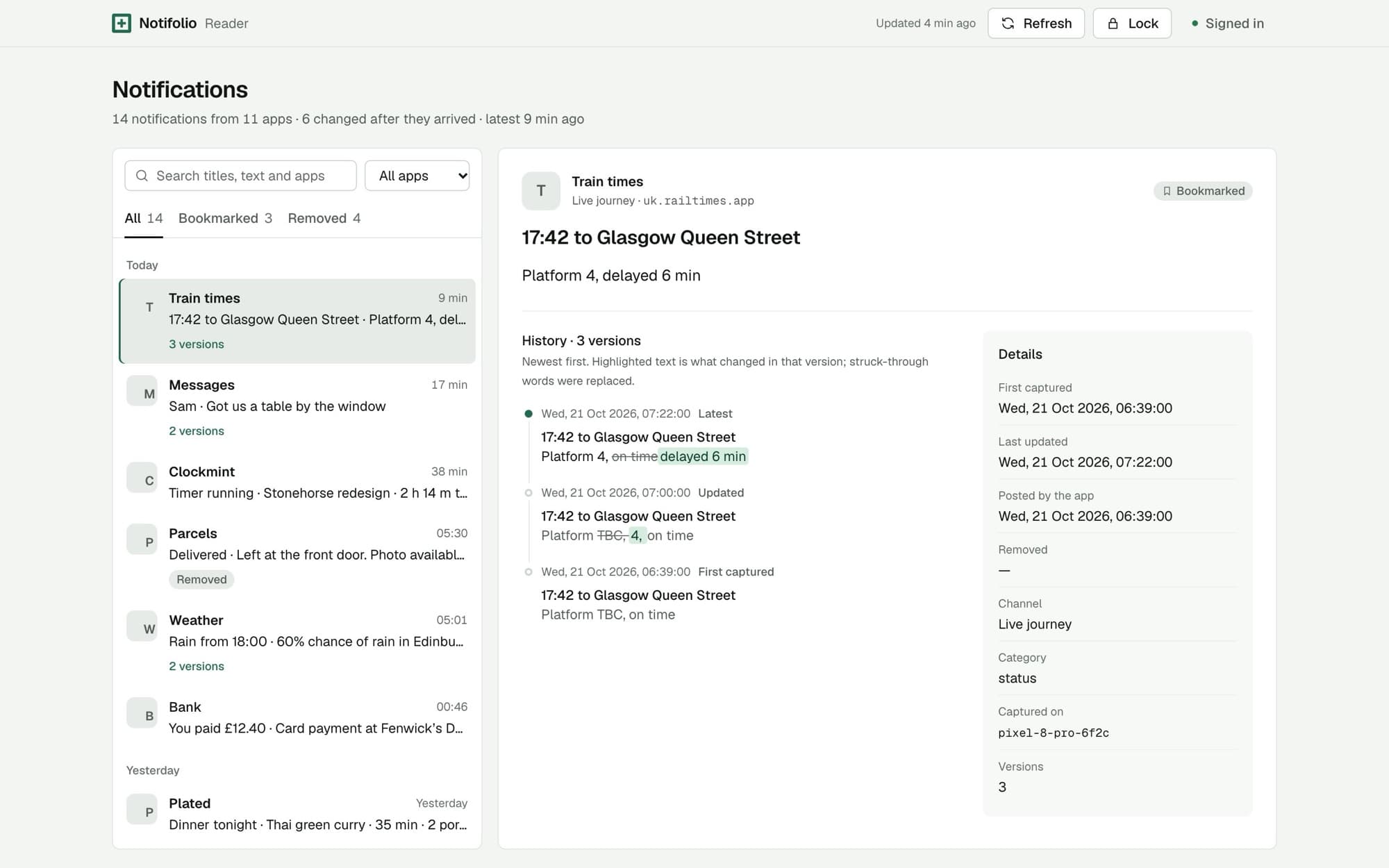
Notifications change after they arrive.
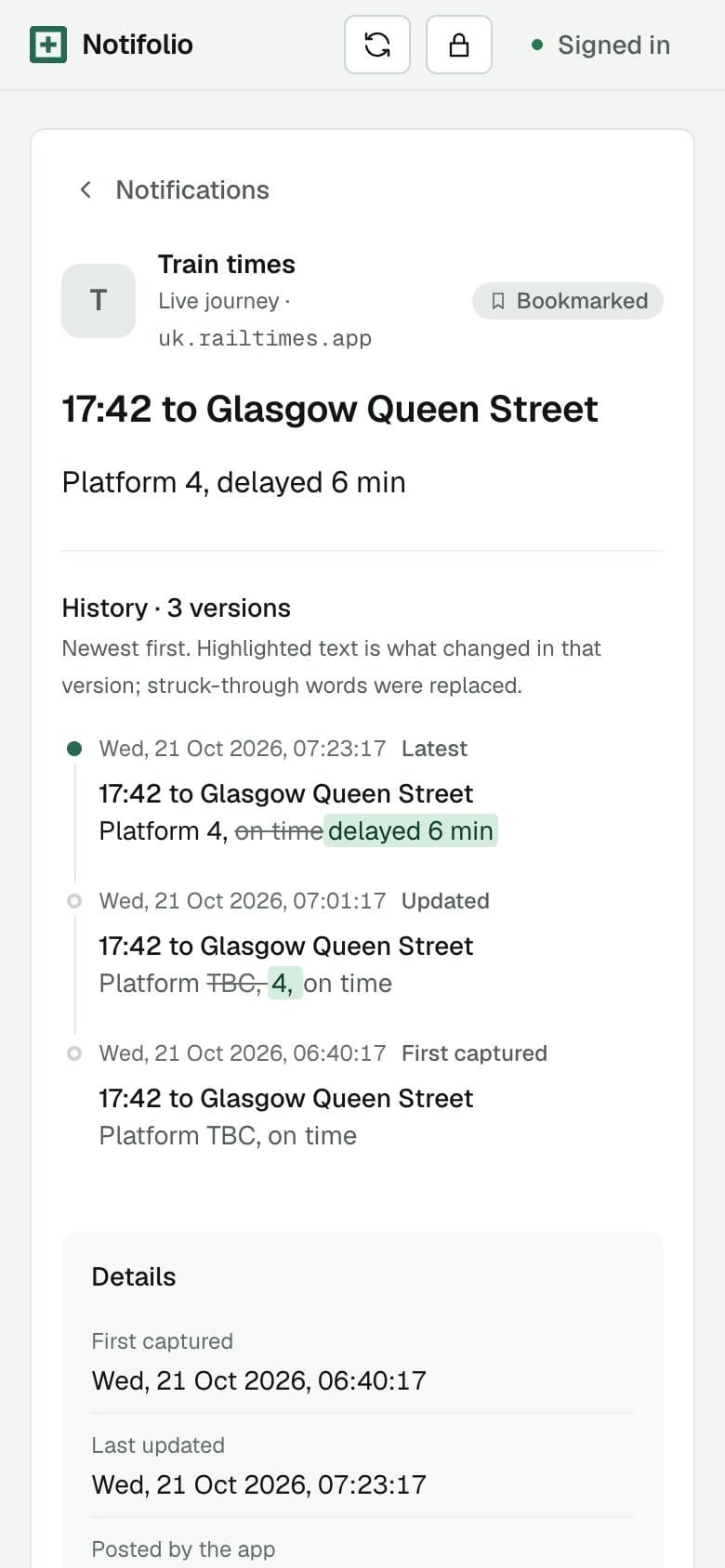
A delivery window narrows, a platform gets announced, a message is edited, then the notification disappears. Notifolio stores each version as it happens, so you can see exactly what changed and when.
Train times
Live journey
17:42 to Glasgow Queen Street
Platform 4, on time delayed 6 min
Sample notification. Tap a time to see what it said then.
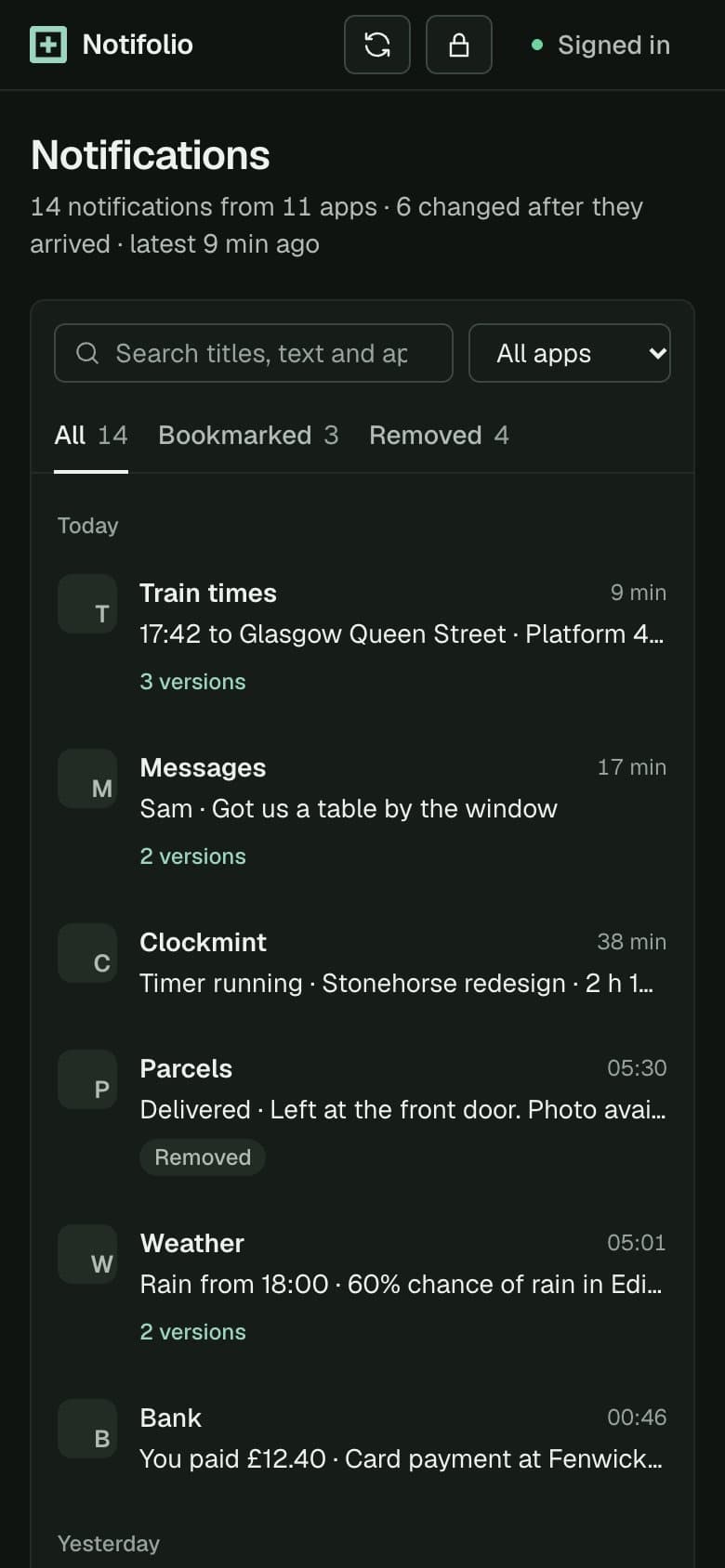
Your notification history, searchable.
Find it again
- Search every version of every notification, including text that changed later.
- Filter by app, date, category and whether it's still showing.
- Open one to see each timestamped version and when it was removed.
- Read conversation content where the app provides it.
Keep it under your control
- Keep history for as long as you choose, or forever.
- Bookmark notifications and protect them from automatic expiry.
- Leave out apps, ongoing notifications, group summaries or single channels.
- Export everything or a filtered set as JSON, CSV, or a ZIP with images.
- Make a password-protected, encrypted backup and restore it later.
Private by design
- Nothing is captured until you grant notification access, and you can revoke it in Android settings.
- The archive lives in the app's private storage on your phone.
- No ads and no analytics. Android cloud backup of the archive is turned off.
- Sync between devices is optional, off by default and end-to-end encrypted.
Read it on a bigger screen.
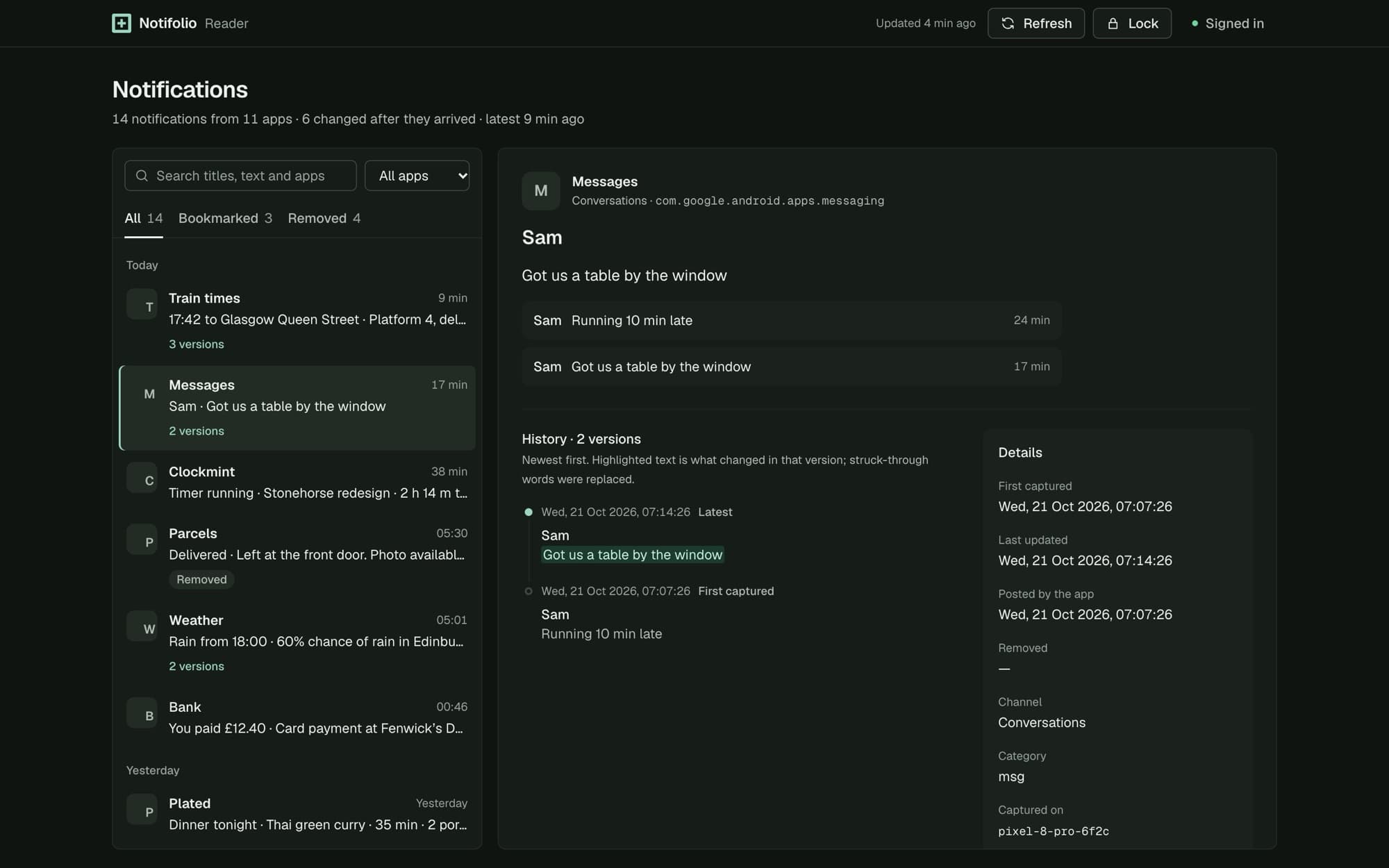
Pair a browser with your phone and read your archive there. The browser only reads: it can't capture, edit or delete anything, and it locks as soon as you leave the tab.
- Your phone approves each browser by scanning a one-time code.
- Notifications arrive end-to-end encrypted and are unlocked with a passphrase you set in that browser.
- Lock it, or forget the browser entirely, whenever you like.
What it can't do.
Worth knowing before you rely on it.
- Android and each app decide what a notification contains; Notifolio stores what it is given.
- It can't recover notifications from before you granted access.
- Capture can stop if access is revoked, the app is force-stopped, or Android limits background work.
- Images are best effort. Readable exports aren't encrypted; backups are.
- Deleting a notification on Android keeps its archived copy. Uninstalling Notifolio removes the archive.
Want it before it's on Google Play?
Tell us a little about your phone and we'll be in touch when early access opens.